
In today’s digital world, businesses are expected to deliver clean, consistent, and user-friendly experiences across websites, apps, social media, and marketing materials. But creating everything from scratch each time leads to slow production, inconsistent visuals, and unnecessary costs.
That’s where design systems come in.
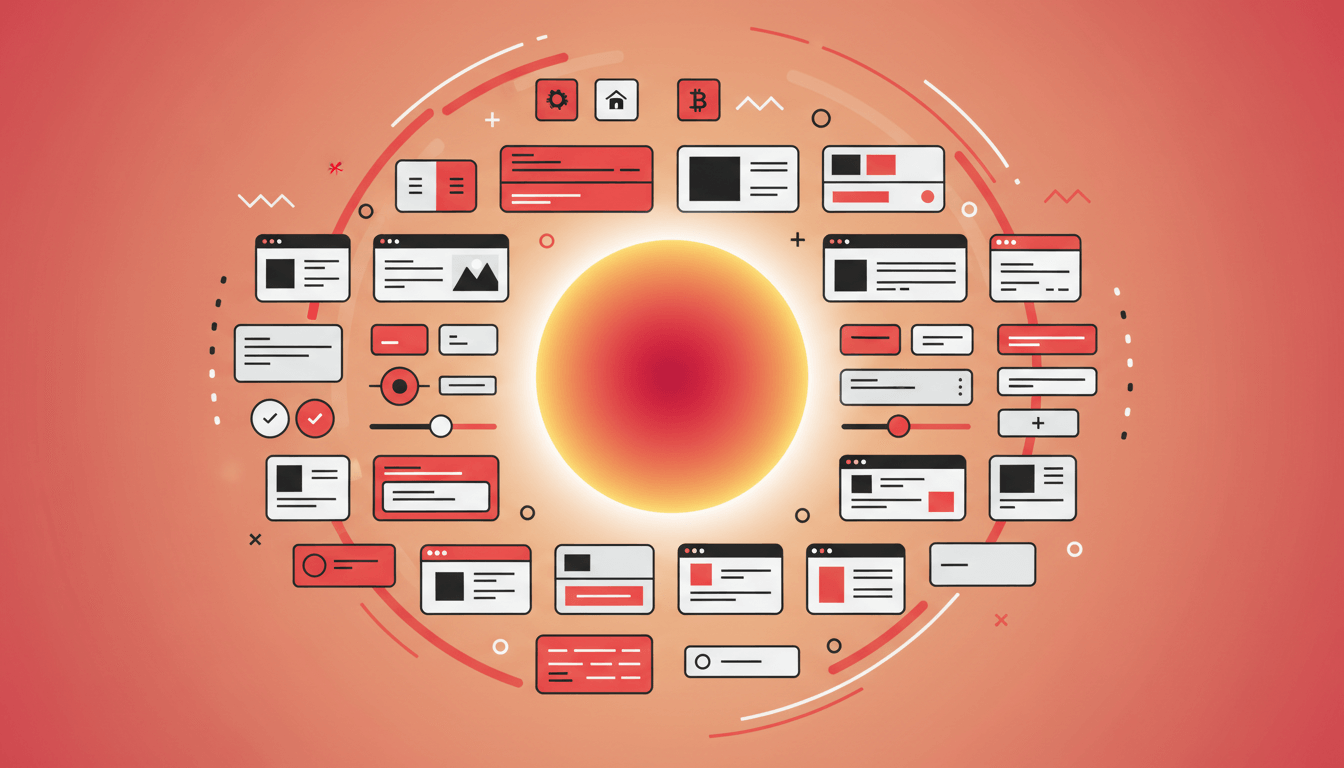
A design system is a set of reusable elements — colors, buttons, layouts, typography, icons, illustrations, and rules — that keeps your brand consistent everywhere it appears. Think of it as a “master toolbox” that helps your team build faster and with fewer mistakes.
In simple terms:
A design system makes your brand look the same, feel the same, and work the same across every digital touchpoint — without requiring extra effort each time.
This article breaks down what a design system is, why it matters, and how it can transform the way your business creates digital experiences.
What Exactly Is a Design System? (Simple Definition)
A design system is a collection of building blocks that define how your brand should look and behave in digital environments.
It includes things like:
- Your colors
- Your fonts
- Your buttons
- Your spacing and layout rules
- Your icons
- Your illustration style
- Your motion guidelines
- Your UI components
These are combined into a system that anyone on your team can use — designers, developers, marketers, and partners — ensuring everything stays aligned.
Think of it like brand guidelines, but for building websites, apps, dashboards, and digital products.
Why Design Systems Are So Important
Most businesses don’t realize how much time they lose by creating similar elements repeatedly.
Without a design system:
- Designers recreate buttons, icons, or layouts over and over
- Developers guess styles or rebuild components from scratch
- Marketing materials look inconsistent
- Websites grow messy and unaligned
- Each new project feels like starting from zero
A design system solves all these problems by providing a single source of truth.
The Big Benefits of Using a Design System
Let’s break down the advantages in simple, business-friendly terms.
1. It Saves You Time
Instead of reinventing elements, you reuse them.
This makes design projects faster and more predictable.
Example:
Your team doesn’t need to design a new button for every campaign — your design system provides it.
2. It Saves You Money
Repetition costs money.
With a system:
- Fewer revisions
- Fewer errors
- Faster development
- Less confusion
- Shorter project timelines
Everything moves more efficiently.
3. It Keeps Your Brand Consistent
Consistency builds trust.
When your brand looks different across platforms, customers feel uncertain.
A design system ensures:
- Same colors
- Same tone
- Same visuals
- Same layout behavior
- Same experience everywhere
Your brand feels more professional and polished.
4. It Improves Collaboration Between Designers and Developers
Designers provide the visual components.
Developers build reusable versions in code.
With a design system, both teams speak the same language — and projects run smoother.
5. It Helps Your Brand Scale
As your business grows:
- More pages
- More campaigns
- More features
- More digital platforms
A design system ensures everything expands cohesively, without losing quality or increasing chaos.
It makes your brand future-proof.
What’s Inside a Modern Design System? (The Toolkit)
Every design system is different, but most include these core parts:
1. Color System
Your brand palette, including:
- Primary colors
- Secondary colors
- Neutral colors
- Accent colors
- Usage ratios
This ensures your colors look the same everywhere.
2. Typography Rules
Your font choices and how to use them:
- Headings
- Body text
- Line spacing
- Readability rules
Typography is one of the biggest consistency challenges — a design system solves that.
3. Spacing and Layout Guidelines
Clear rules for:
- Margins
- Padding
- Grids
- Section spacing
This keeps your website and app layouts clean and structured.
4. UI Components
Reusable pieces like:
- Buttons
- Forms
- Inputs
- Cards
- Navigation bars
- Modals
- Tooltips
These components follow the same style rules, so everything matches.
5. Iconography
Icons drawn in the same style, with consistent stroke weight and shape structure.
6. Illustration Style
Rules for illustrations:
- Shape language
- Line style
- Color usage
- Character style
- Brand themes
This ensures every illustration feels like it belongs to your brand.
7. Motion & Interaction Guidelines
Motion defines how your brand behaves:
- Hover states
- Button animations
- Page transitions
- Timing & easing
- Micro-interactions
Motion is what makes modern brands feel premium and polished.
Why Your Business Should Care About Design Systems
Even if you’re not a designer, the benefits impact your business directly.
Without a design system:
- Your digital presence starts to feel messy
- Each project looks slightly different
- Teams waste hours on small decisions
- Projects slow down
- Customers may feel less confident in your brand
With a design system:
- Everything looks unified
- Teams work faster
- Your brand appears more professional
- You reduce errors and rework
- You create a scalable brand foundation
It’s not just good design — it’s good business.
Design Systems for Small and Medium Businesses
Some people think only big companies like Google or Airbnb need design systems.
Not true.
Even small teams benefit from:
- Faster workflow
- Cleaner brand presentation
- Easier content creation
- More efficient hand-offs
- Reduced creative confusion
A design system is one of the smartest investments a growing brand can make.
Examples of When a Design System Helps
Website Redesign
A design system reduces revision time and ensures visual consistency across every page.
New Campaigns
Marketing teams can create assets faster with a shared set of components.
App or Product Development
Developers reuse components instead of building from scratch.
Brand Refresh
Your new visuals get applied consistently.
Hiring New Team Members
New designers ramp up faster because the rules are documented.
How to Know if Your Brand Needs a Design System
Here are easy signs:
- Your website looks inconsistent
- You feel like you’re redesigning the same things repeatedly
- Different designers produce different styles
- Your brand feels “almost right” but not unified
- You want to grow but your visuals feel chaotic
If even two of these sound familiar, a design system will help.
How to Build a Simple Design System (Starter Approach)
You don’t need to start big. Here’s a simple roadmap:
1. Start with colors and typography
These two elements make the biggest impact.
2. Define your buttons and basic UI components
Keep them reusable.
3. Organize your spacing and layout rules
This makes every page feel more professional.
4. Create a library of icons and illustrations
Align them with your art style.
5. Document everything clearly
A Google Doc or Notion page works perfectly at the start.
6. Expand the system as your brand grows
Design systems don’t have to be built in one go — they can evolve.
Final Thoughts: Design Systems Create Better Brands
A design system isn’t just a tool for designers — it’s a strategic asset for your business. It saves time, reduces costs, increases consistency, strengthens brand perception, and helps your team work more efficiently.
Most importantly, it creates a unified experience for your customers — and that consistency builds trust.
If your brand feels scattered, or if building digital assets feels slow and repetitive, a design system is the foundation you need to move forward with clarity and confidence.